Now welcoming new schools

Intelligent school operations

Run your whole school with clarity.

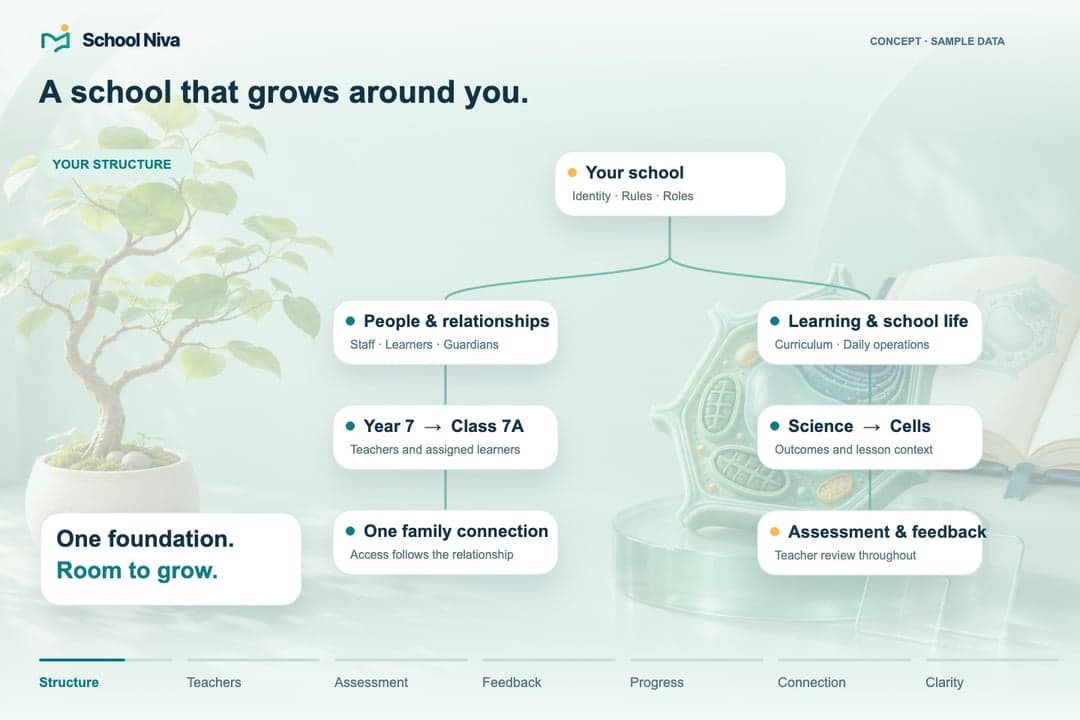
School Niva brings leadership, teaching, operations and family engagement into one intelligent, governed platform—for one school or a group of schools, configured around the way each school works.

  • Human-led AI
  • Role-aware access
  • Built to adapt
  • Your school's own brand

Designed around responsibility

See School Niva through your responsibilities.

Each person starts with the work that matters to them, while the school stays connected underneath.

  • Owners & boards

    See organisation health, risk, decisions and progress across one school or a whole group.

    Govern with context

    What you coordinate

    • Multi-school health
    • Risk and approvals
    • Accountable follow-through
  • Principals

    Bring academics, people, student support and daily operations into one leadership view.

    Lead the whole school

    What you coordinate

    • Academic direction
    • People and student support
    • Daily school operations
  • Teachers

    Plan, teach, assess and support learners with thoughtful assistance and less repeated work.

    More time for teaching

    What you coordinate

    • Planning and resources
    • Assessment and feedback
    • Learner support
  • Administrators

    Coordinate admissions, records, fees, people, communication and operations through governed workflows.

    Keep work moving

    What you coordinate

    • Admissions and records
    • Fees and people
    • Communication and operations
  • Students

    Find learning, feedback, schedules, resources and school life in one age-appropriate experience.

    Know what comes next

    What you coordinate

    • Assignments and feedback
    • Timetable and resources
    • Activities and school life
  • Parents & guardians

    Stay meaningfully connected to learning, attendance, communication, consent and school life.

    Stay close, clearly

    What you coordinate

    • Attendance and updates
    • Consent and events
    • Progress support

See it working

One platform. The right workspace for every role.

Pick a role to see the screen that person opens each morning.

Aster Grove SchoolMain campus · Principal
Principal

Friday, 9 October

Good morning, Meera.

One readiness check and three decisions need your attention.

22/24Registers submittedNot attendance totals
03Decisions todayNamed staff owners
5/6Safety attestationsOne review outstanding
Awaiting attestation

Before the school day begins

5 of 6 checks reported OK. Science block safety check not yet reported.

Needs your decision

2 of 3 shown
01
Review Period 2 cover

Grade 9 English · Combining groups requires a policy review.

Due 08:40Timetable lead
02
Review the conference notice

School office · Check the audience and meeting dates.

Due 11:00Communications
Example school dataSchool leadership · Standard access
Example

Sample details

Example only. Nothing is sent, approved, published or saved to a school record.

Platform model

From scattered tasks to a coordinated school.

School Niva connects the work around a learner without removing the boundaries that keep decisions safe, understandable and accountable.

School NivaThe learner at the centre

  1. People and identity

    People, their relationships, roles and scoped access.

  2. Teaching and assessment

    Planning, learning activity, assessment and feedback.

  3. Administration and records

    Admissions, attendance, records and the school day.

  4. Finance and workforce

    Fees, finance context, staff and responsibility.

  5. Communication and school life

    Updates, consent, events, activities and the home connection.

What connects every domain

  • Permission and approvalEvery view and action is checked against a person's role and relationships; sensitive changes wait for the right approval.
  • Workflow and ownershipWork moves as a task with a named owner, not as a forwarded message someone has to remember.
  • Authoritative records and evidenceEach domain keeps one authoritative record, and a decision keeps its evidence and history.
  • Notification, feedback and decision insightThe right people hear about a change, and patterns return to teachers and leaders for their judgement.

How context moves: one example

Follow one learner from admission to follow-through.

  1. Admission context

    An admission decision carries forward only the context the school has chosen to keep.

  2. Verified person and role

    It becomes one verified person, with relationships and scoped roles.

  3. Timetable and learning

    Classes, timetable and learning work reach that learner and their teachers.

  4. Attendance or family update

    An absence or an update reaches the guardians that relationship permits.

  5. Accountable follow-through

    A named person acts, and the record shows what was decided and why.

Built with teachers, not around them

Less repetition. More room to teach.

Turn source material into a useful first draft, adapt work for learners and understand responses—with the teacher reviewing every meaningful step.

  1. 1
    Source

    Start from the curriculum, lesson resources or approved documents already in context.

  2. 2
    Draft

    Assistance prepares questions, activities and support ideas—no blank page.

  3. 3
    Teacher reviewThe teacher decides

    The teacher checks accuracy, fairness and fit, then edits, discards or approves.

  4. 4
    Assignment

    Only approved work reaches the learners the teacher chooses.

  5. 5
    Insight

    Responses are organised into patterns for the teacher's judgement—not a grade the system gives.

One school or a group of schools

See the signal. Understand the story. Act together.

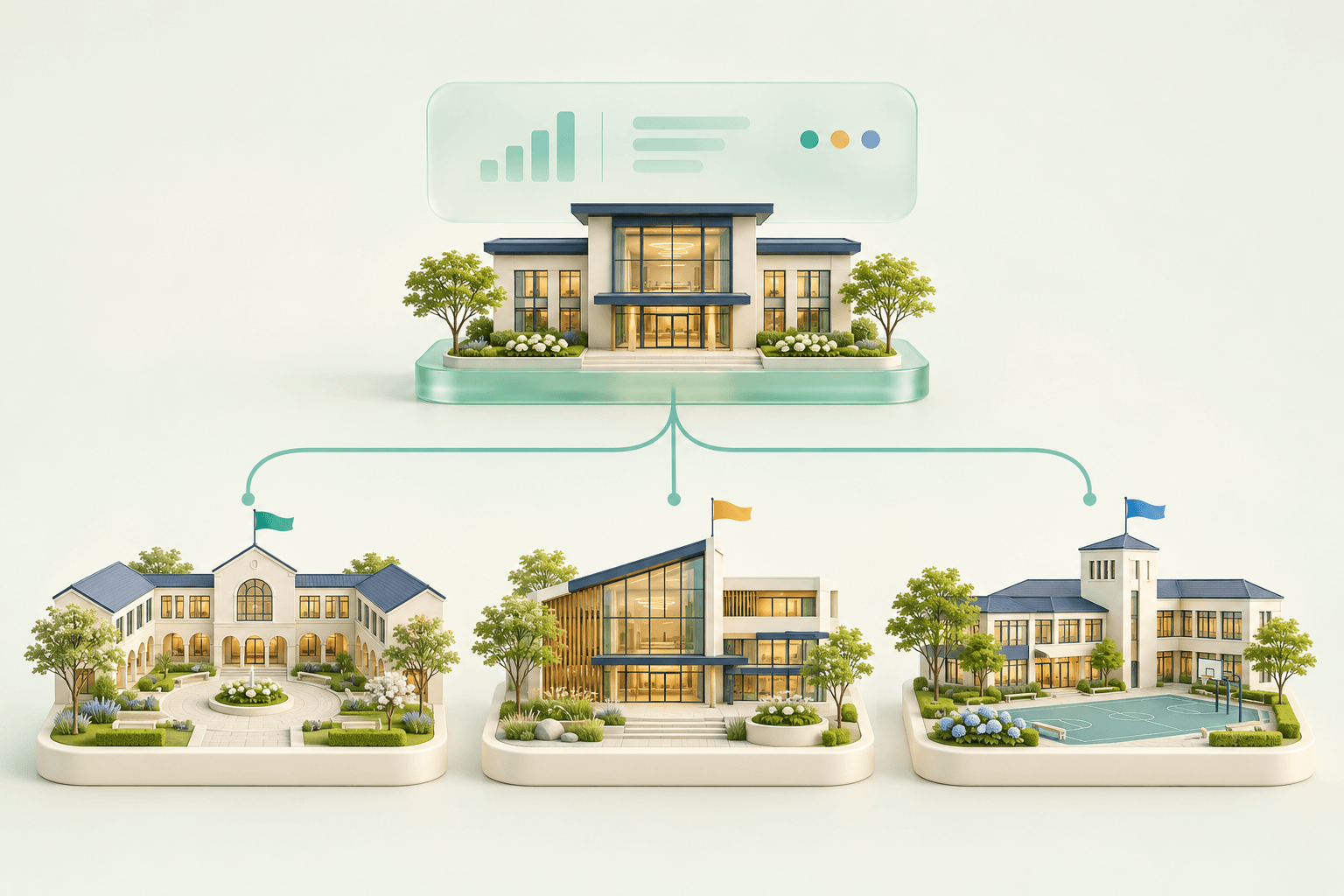
Shared oversight, with each school's own identity, configuration and permission-based access.

School Niva brings academic, operational and organisational signals into one permission-aware view, then connects every decision to an owner, evidence and follow-through.

  • One school or a whole group
  • Drill-down that stays permission-bound
  • Governed approvals
  • Accountable owners and review dates
Group officeShared summaries · common policies
  • School AIts own identity
  • School BIts own configuration
  • School CIts own community
Access follows each person's role and assigned schools.
A teacher, students and a family share a coordinated view of learning, communication and school life without exposing personal information.

Close to the school day

The right update.
For the right child.

Attendance, notices and family decisions in one calm view.

Aster Grove School

Family home

Anaya’s school day.

Anaya · Year 7A · Active child

Morning register · PresentRecorded at 08:05

A register entry, not live location.

Consent requestedScience museum visit consent

23 October · Year 7

Read the notice
School noticeChoose a family conference slot

16 October · With the class teacher

Review available times
HomeLearningMessages

Each guardian sees only their own child’s permitted information.

Students and families

One coordinated school experience, from classroom to home.

Learners know what comes next, guardians get the right update for the right child, and teachers share once, through the school's own channel.

Learning
Assignments, feedback and next steps a learner can act on.
Attendance
Accurate records, with follow-up that reaches the right person.
Communication
Clear updates for the right family, through the school's own channel.
Support
Concerns passed to trained people, never turned into labels.
School life
Events, activities, consent and trips with durable status.

What each guardian sees follows their verified relationship with the child and the school's own rules.

Configurable and white-label

Your school's identity, on one governed platform.

Your school sets

  • Its name, logo and colours
  • Its terminology and structures
  • Its own domain, once verified

The platform keeps

  • One governed product for every school
  • Security, privacy and audit controls
  • Licensed entitlements a setting cannot change
  1. Start from a configuration pack
  2. Configure within scope
  3. Validate
  4. Approve
  5. Publish, with rollback ready

Every change stays inside licensed, governed boundaries, so your school is configured, never custom-coded.

Make it feel like your school

Same foundation. Your identity.

Two example schools. Their own look, on the same governed workspace.

Aster GroveSchool
Teaching workspaceGood morning, Kavya.

7A Science · Plant cells

Next lesson08:40 · Lab 2Lesson & register →
Teal & soft mint
RiversideSchool
Teaching workspaceGood morning, Kavya.

7A Science · Plant cells

Next lesson08:40 · Lab 2Lesson & register →
Indigo & warm stone
01 School logo02 School imagery03 Brand colours

Branding changes never change permissions.

Trust is part of the product

Designed for work that matters.

Clarity is not only what the platform shows. It is how access, decisions and change are governed.

  • Identity and access

    People act through scoped identities, and sensitive actions ask again and leave evidence.

    How it works

    • Scoped roles
    • Sensitive actions checked again
    • Durable evidence of who acted
    How identity and access are designed
  • Privacy and data boundaries

    Information stays with its purpose and its school, with a lifecycle and an end.

    How it works

    • Purpose and school boundary
    • Minimised access
    • A lifecycle with an end
    How privacy and data boundaries work
  • Responsible AI

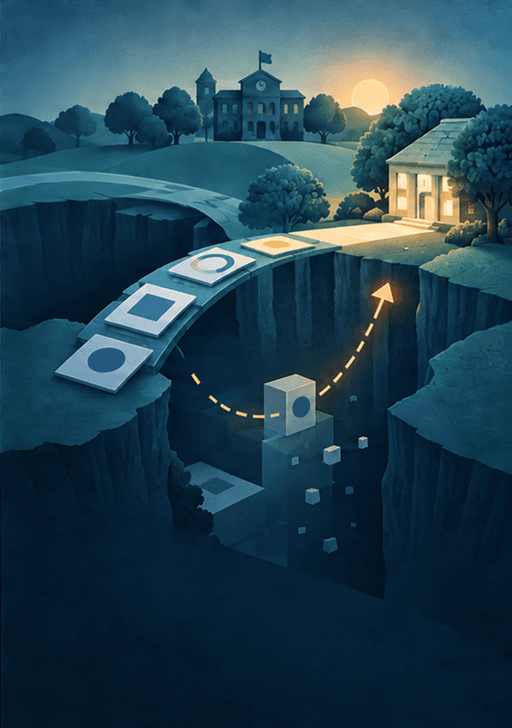
    AI prepares, organises and suggests. Accountable people review and decide.

    How it works
    • Prepares and organises
    • A human review point
    • An accountable decision
    The responsible AI approach
  • Reliability and recoverability

    Authoritative records and durable work intent, so a failure is recoverable, not silent.

    How it works

    • One authoritative record
    • Durable work intent
    • Reconciliation and safe recovery
    Reliability and data boundaries

Start with your school

What could work better tomorrow?

Tell us what your school is trying to improve. We will begin with a focused conversation—not a generic sales script.

Your path to launch

  1. 01DiscoverYour goals and today's tools
  2. 02QualifyFit, scope and priorities
  3. 03PlanPeople, data and timeline
  4. 04Configure and migrateYour school set up, data moved
  5. 05Validate and trainChecked data, confident staff
  6. 06Approve launchYou decide when it goes live
  7. 07SupportWe stay with you after launch

Your school does not become a template. We plan the journey around your people, responsibilities, data and readiness—with explicit approval before launch.

Talk to the School Niva team

Request a demo hello@schoolniva.comWe ask only for what we need to reply. Do not send student, health, safeguarding, credential or payment information.